
Video as Code: Why Portable JSON is the Future of Video Pipelines
May 16, 2026 · By VideoFlowLearn why treating video as portable JSON is the key to building scalable automation. Explore the 'Video as Code' paradigm with VideoFlow's three-renderer architecture.
Video as Code: Why Portable JSON is the Future of Video Pipelines
For years, programmatic video has been synonymous with "FFmpeg wrappers." You concatenate complex shell strings, pipe raw buffers, and hope your server doesn't run out of memory or hit a codec mismatch. But as video automation moves from simple batch jobs to complex, multi-stage SaaS features, the "shell script" approach hits a wall. It is fragile, hard to test, and impossible to scale across the modern stack.
Scaling video automation requires more than just calling a binary. It requires a new paradigm: Video as Code.
The Paradigm Shift: Video as Data
When we talk about "Video as Code," we don't just mean writing scripts to generate MP4s. We mean treating the definition of a video as a first-class citizen—a portable, structured, and diffable data format. In VideoFlow, this format is VideoJSON.
By decoupling the video's description from its rendering engine, you gain a level of portability that was previously impossible. You can generate a video definition in a Node.js API, store it in a Postgres JSONB column, version control it in Git, and render it anywhere.
The Three-Renderer Rule
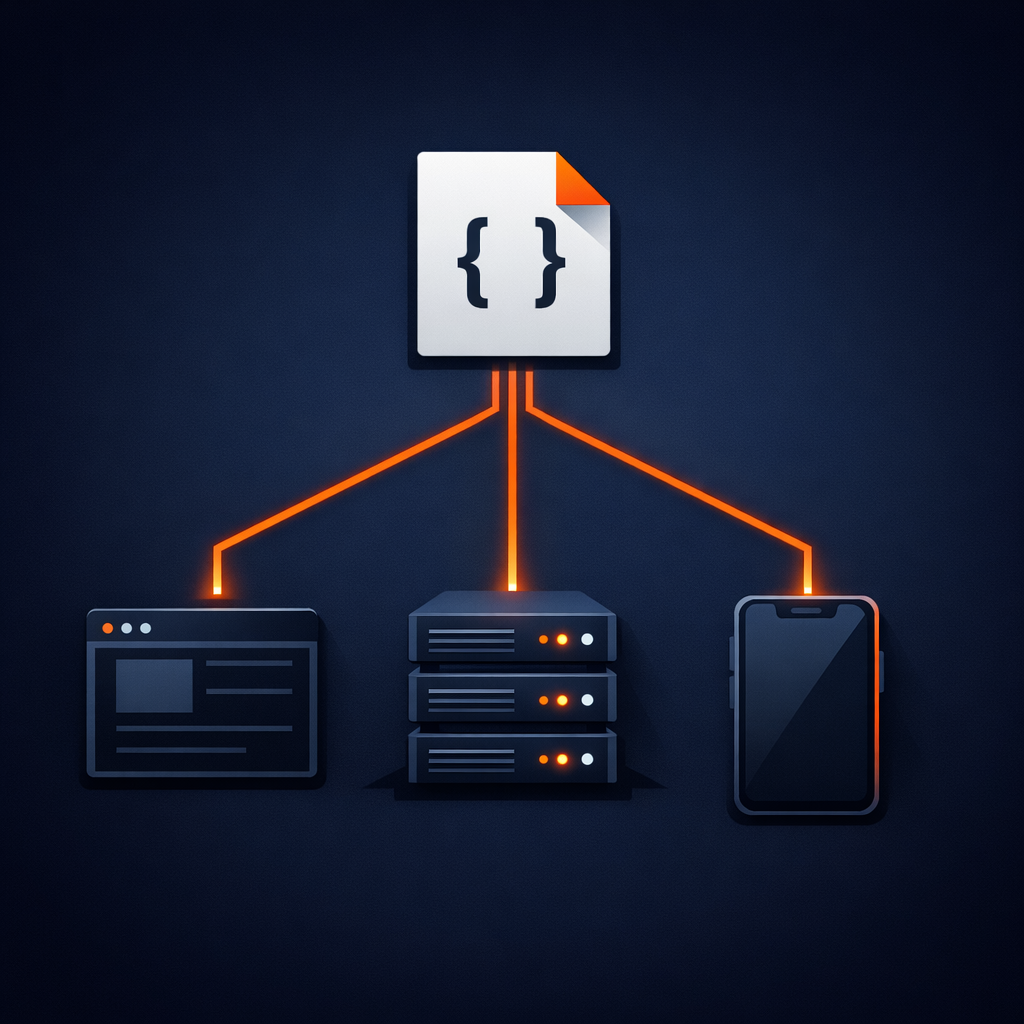
The true power of the "Video as Code" approach is realized when you have a single source of truth that works everywhere. We call this the Three-Renderer Rule. Because VideoJSON is a documented, platform-agnostic schema, it can be consumed by different renderers tailored to specific environments:
- The Server Renderer: Running in Node.js via @videoflow/renderer-server, it uses headless Chromium to produce high-quality MP4s for batch jobs and background processing.
- The Browser Renderer: Using @videoflow/renderer-browser, it exports videos directly in the user's tab via WebCodecs. This allows for zero-server-cost exports and a better user experience.
- The DOM Renderer: For live previews, @videoflow/renderer-dom provides frame-accurate, 60fps scrubbing inside your web application.
This architecture ensures that what you see in the preview is exactly what you get in the final export, regardless of whether it's rendered on a server or in a client's browser.
Building a Portable Pipeline
Treating video as code allows you to build modular, component-driven pipelines. Instead of one giant script, you can build reusable functions that return layer groups or timing blocks.
Here is how simple it is to compile a portable video document using the @videoflow/core builder API:
import VideoFlow from '@videoflow/core';

const $ = new VideoFlow({ width: 1080, height: 1080, fps: 30 });

// Define a cinematic background
const bg = $.addImage(
  { fit: 'cover', opacity: 0.8 },
  { source: 'https://images.unsplash.com/photo-1618005182384-a83a8bd57fbe' }
);

// Stack some GLSL effects
bg.animate({ filterBlur: 0 }, { filterBlur: 1.5 }, { duration: '4s', wait: false });

// Add animated text
const text = $.addText({
  text: 'VIDEO AS CODE',
  fontSize: 8,
  color: '#FF5A1F',
  fontWeight: 800,
  position: [0.5, 0.5]
});

text.fadeIn('800ms');
$.wait('3s');
text.fadeOut('500ms');

// The magic happens here: compile to portable JSON
const videoJson = await $.compile();
Once you have that videoJson object, your pipeline becomes incredibly flexible. You can hand it off to a queue for server-side rendering or let the user download the result immediately from their browser. This is the same principle we explored in our guide on The Three-Renderer Rule: Why Your Video Pipeline Needs a Single Source of Truth.

Why This Scales
Traditional video pipelines are bottlenecks. They are expensive to run, hard to debug, and difficult to integrate with modern web workflows. By adopting a "Video as Code" approach with VideoFlow, you eliminate these hurdles:
- Diffable Definitions: Because your videos are JSON, you can see exactly what changed in a pull request.
- Environment Agnostic: Run your logic in a Lambda, a browser worker, or a local dev machine.
- No FFmpeg Dependency: By default, VideoFlow renderers utilize WebCodecs and headless browsers, removing the need for fragile system-level dependencies.
Get Started with VideoFlow
If you are ready to move beyond shell scripts and start building robust, portable video pipelines, we invite you to explore the VideoFlow ecosystem.
Check out our comprehensive documentation to learn more about the builder API, or head over to the Playground to start building your first video as code right in your browser.
VideoFlow is fully open-source (Apache-2.0). You can find the source code and contribute to the project on GitHub.