
The 27 Transitions: A Developer's Guide to Cinematic Code
September 19, 2026 · By VideoFlowMaster VideoFlow transitions with this deep dive into the symmetric progress engine. Learn how to use 27 cinematic presets to build automated video pipelines.
The 27 Transitions: A Developer's Guide to Cinematic Code
Most developers treat video transitions as a post-production afterthought—something you slap on in a GUI after the hard work of editing is done. But when you are building video-as-code, transitions aren't just "fluff"; they are first-class primitives that define the rhythm and feel of your automated content.
In VideoFlow, transitions are defined by a unique symmetric progress contract. This architecture allows you to apply complex motion patterns to any layer type using a single key in a JSON object. Whether you are building a YouTube Shorts factory or a personalized SaaS recap, mastering these 27 presets is the key to moving beyond the basic fade.
The Symmetric Progress Contract
Under the hood, every VideoFlow transition follows a strict mathematical contract. Unlike traditional video editors that require separate "In" and "Out" logic, VideoFlow uses a signed-progress value ($p$) that ranges from -1 (fully hidden at entry) to 0 (at rest) to +1 (fully hidden at exit).
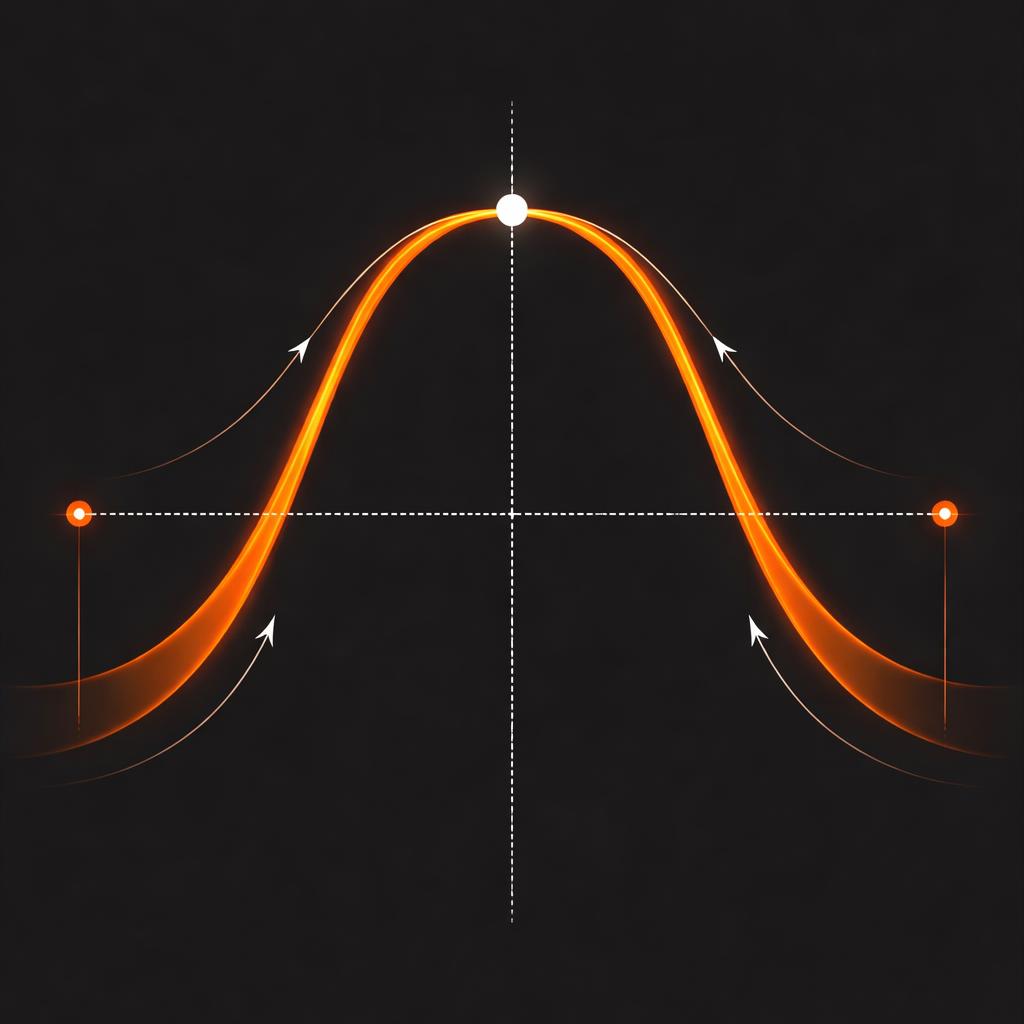
This symmetry means that any preset you use for transitionIn automatically knows how to mirror itself for transitionOut. If a layer slides in from the left, it knows how to slide out to the left (or right) without you writing a single line of interpolation logic. This is part of what makes our core builder API so powerful for developers who want to avoid manual frame math.
Implementing Transitions in Code
Adding a cinematic transition in VideoFlow is as simple as defining a settings object. Every visual layer—be it text, image, video, or shape—accepts a transitionIn and transitionOut specification.
import VideoFlow from '@videoflow/core';

const $ = new VideoFlow();

// Add a title with a 'blurResolve' entry
const title = $.addText(
  { text: 'Cinematic Code', fontSize: 8, color: '#FF5A1F' },
  {
    transitionIn: {
      transition: 'blurResolve',
      duration: '800ms',
      easing: 'easeOut'
    },
    transitionOut: {
      transition: 'fade',
      duration: '400ms'
    }
  }
);

$.wait('3s');
In this example, the blurResolve preset handles the complex GLSL task of resolving a blurred, high-exposure state into a crisp title. Because this is defined as VideoJSON, it will render byte-for-byte identically in the Playground, your browser-side export, or a headless server render.
Beyond the Fade: Glitch, Scramble, and Light Sweeps
While fade is the industry standard, VideoFlow ships with 27 specialized presets designed for high-end developer content. Here are a few standouts from the library:
- scrambleDecode: Perfect for technical or "hacker" aesthetics, this preset randomly cycles through characters before settling on the final text.
- glitchResolve: A digital-first transition that uses chromatic aberration and block-noise to snap a layer into existence.
- lightSweepReveal: A cinematic sweep of light that masks the layer into view, ideal for hero titles and logos.
- typewriter: The classic terminal-style entry, which pairs perfectly with our captions layer for automated social media videos.
How VideoFlow Handles Motion
Unlike many Remotion alternatives that rely on heavy React re-renders, VideoFlow transitions are GPU-accelerated GLSL effects. When you compile your project, these transitions are serialized into the VideoJSON schema. This makes your video projects highly portable—you can generate a timeline in Python or Go and send it to our official renderers to produce the final MP4.
By treating motion as a data-driven property rather than a manual animation task, you can build scalable video pipelines that feel hand-crafted without the manual labor. If you're coming from a background of chaining FFmpeg shell scripts, the ability to swap a slideUp for a zoom with a single string change feels like magic.
Start Composing
The best way to learn the 27 transitions is to see them in action. Head over to the Playground to experiment with different presets, or check out the transitions guide in our documentation for a full list of parameters.
If you're building a commercial video tool, you might also want to look at the @videoflow/react-video-editor, which provides a full multi-track timeline where you can drag and drop these transitions visually. For everything else, the core engine remains open source and free forever on GitHub.